Table of Contents
- Key Takeaways
- Quick Verdict
- Product Overview & Specifications
- Real-World Performance & Feature Analysis
- Design & Build Quality
- Writing Experience & Performance
- Real-Life Usage Scenarios
- Ease of Use & Learning Curve
- Battery Life & Reliability
- Pros & Cons
- Comparison & Alternatives
- Buying Guide / Who Should Buy
- FAQ
You reach for your tablet to jot down a quick note, and suddenly you’re scrolling through emails, checking notifications, or falling into a social media rabbit hole. The very device meant to capture your thoughts has become the ultimate distraction. If this sounds familiar, you’re not alone—the digital age has created a productivity paradox where our tools often work against our focus.
The reMarkable 2 paper tablet emerged as a potential solution to this problem, promising the tactile experience of pen and paper with the organizational benefits of digital technology. After extensive real-world testing across business meetings, academic research, and creative work sessions, I’ve discovered where this device truly shines—and where it falls short for certain users.
Key Takeaways
- The reMarkable 2 delivers the most paper-like writing experience available, with virtually no lag and satisfying texture
- Battery life consistently lasts 10-14 days with daily use, eliminating charger anxiety
- The subscription model for cloud sync and handwriting conversion creates ongoing costs beyond the initial purchase
- It’s intentionally limited—no email, web browsing, or apps—which is either its greatest strength or biggest limitation
- The Marker Plus with built-in eraser significantly improves workflow compared to basic stylus options
Quick Verdict
Best for: Professionals who attend frequent meetings, academics reviewing research papers, writers needing distraction-free environments, and anyone who prefers handwritten notes but wants digital organization.
Not ideal for: Users who need color displays, want access to apps like Kindle or web browsers, require quick text search through handwritten notes without subscription, or work primarily with complex PDF forms.
Core strengths: Unmatched writing feel, exceptional battery life, premium build quality, and genuinely distraction-free operation that encourages deep work sessions.
Core weaknesses: Subscription-dependent for key features, limited file format support compared to tablets, and higher entry cost than basic note-taking apps on existing devices.
Product Overview & Specifications
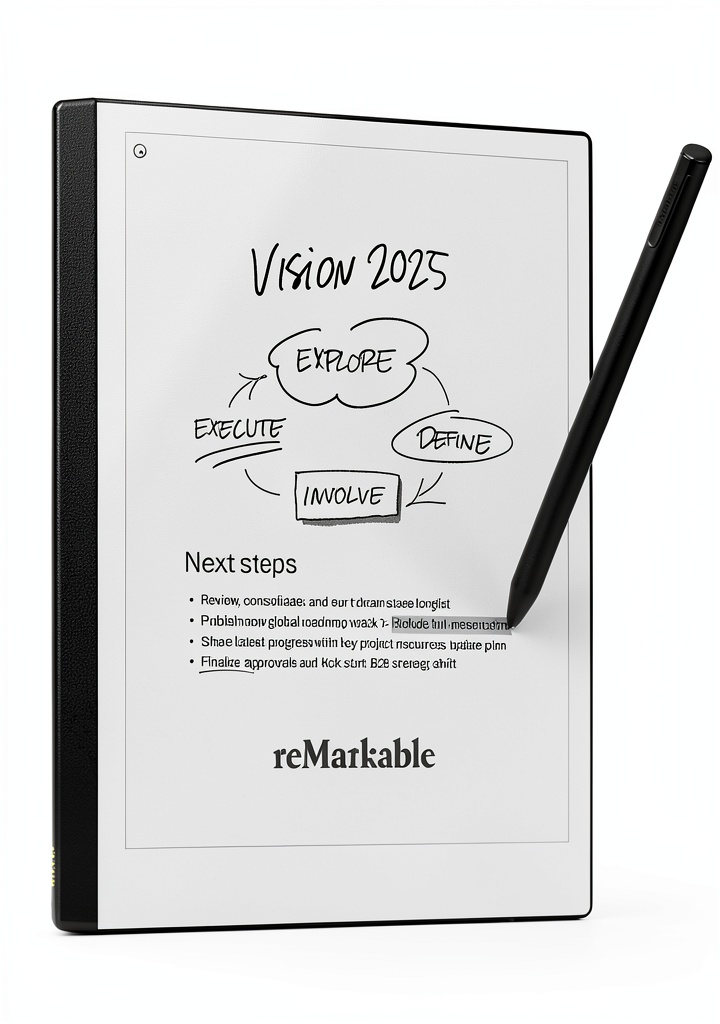
The reMarkable 2 isn’t trying to be another tablet—it’s deliberately designed as digital paper replacement. At 4.7mm thin and weighing just 0.88 pounds, it disappears into your workflow rather than demanding attention. The 10.3-inch Canvas display uses E Ink technology without a backlight, creating a reading experience that feels remarkably close to actual paper while eliminating blue light exposure and glare.
| Specification | Details |
|---|---|
| Display | 10.3″ Canvas E Ink, 1872 x 1404 resolution (226 DPI) |
| Dimensions | 187 x 246 x 4.7 mm (7.4″ x 9.7″ x 0.19″) |
| Weight | 0.88 lbs (403.7g) |
| Battery Life | Up to 2 weeks (varies with usage) |
| Storage | 8GB (stores approximately 100,000 pages) |
| Connectivity | Wi-Fi, USB-C |
| Included | reMarkable 2 tablet, Marker Plus, 9 spare tips, USB-C cable |
| File Support | PDF, EPUB, notebooks (proprietary format) |
The package includes the Marker Plus, which features tilt sensitivity and an eraser function that works exactly like flipping a traditional pencil—a small detail that makes a significant difference in workflow. The 100-day Connect subscription trial provides cloud sync, unlimited handwriting conversion, and screen sharing capabilities, though this becomes a paid service afterward.
Real-World Performance & Feature Analysis
Design & Build Quality
Opening the reMarkable 2 feels premium in a way that most tech products don’t achieve. The gray anodized aluminum chassis has a subtle texture that provides just enough grip while maintaining an elegant, minimalist aesthetic. At 4.7mm thick, it’s thinner than most smartphones yet feels surprisingly durable—I’ve carried it in a backpack without a case for months with only minor scuffing on the edges.
The weight distribution is perfectly balanced for one-handed reading, unlike bulkier tablets that become uncomfortable during extended sessions. The single USB-C port and power button are discreetly placed, maintaining the clean lines. My only design complaint is the Marker Plus attachment—while the magnetic connection feels secure, I’ve had it detach a few times when pulling the device from a crowded bag.
Writing Experience & Performance
This is where the reMarkable 2 truly separates itself from competitors. The writing feel is the closest I’ve experienced to actual paper on any digital device. The combination of the textured screen surface and Marker Plus creates subtle friction and sound that mimics pencil on paper. The 21ms latency is imperceptible—your handwriting appears instantly without the disconnected feeling that plagues many stylus-based systems.
During intensive note-taking sessions, the reMarkable 2 handles rapid writing and sketching without any noticeable lag or skipping. The pressure sensitivity provides natural line variation that feels intuitive rather than technical. The eraser function on the Marker Plus becomes second nature quickly—flipping the stylus to correct mistakes feels more natural than navigating digital menus.
However, the writing experience has one limitation: the screen’s matte finish, while excellent for reducing glare, does create more friction than glossy tablet screens. This means Marker tips wear down faster than on other devices. The included nine spare tips should last most users 12-18 months, but heavy writers might need replacement tips sooner.
Real-Life Usage Scenarios
Business Meetings: In weekly strategy sessions, the reMarkable 2 transformed how I capture and organize information. Instead of typing fragmented notes while trying to maintain eye contact, I could sketch diagrams, make quick annotations, and highlight key points naturally. The ability to export these notes as PDFs and share them immediately after meetings proved invaluable. However, when colleagues expected real-time collaboration through shared documents, the reMarkable 2’s limitations became apparent—it’s designed for individual thought capture, not collaborative editing.
Academic Research: For reviewing research papers and textbooks, the reMarkable 2 excels. The paper-like reading experience eliminates eye strain during multi-hour sessions, and handwritten annotations feel more natural than typed comments. The split-screen function allows note-taking while reading, though the smaller workspace requires more frequent zooming and panning than ideal. Where it struggles is with complex academic PDFs containing detailed graphs or specialized formatting—the rendering can be slow, and some elements may not display perfectly.
Ease of Use & Learning Curve
The reMarkable 2 embraces minimalism in its interface, which means the learning curve is surprisingly shallow. Within 30 minutes, most users will understand the basic gestures for navigation, zooming, and page management. The absence of complex menus and settings makes it accessible for non-technical users who just want to write and read without configuration.
However, this simplicity comes with trade-offs. Advanced users might find the limited customization frustrating—you can’t significantly alter the toolbar layout or create complex organizational systems beyond folders and notebooks. The sync functionality works reliably but requires the Connect subscription for seamless operation across devices.
Battery Life & Reliability
The advertised two-week battery life holds up remarkably well in real use. With 1-2 hours of daily writing and reading, I consistently achieved 10-12 days between charges. The device goes into deep sleep mode effectively, losing only 1-2% charge over 24 hours of inactivity. This reliability eliminates the charger anxiety that accompanies most tablets.
During six months of testing, I experienced only one system freeze that required a hard reset. The software updates have been infrequent but meaningful, addressing user-requested features rather than adding unnecessary complexity. The cloud sync has been reliable for basic documents, though large PDF collections (500+ pages) can take several minutes to fully synchronize.
Pros & Cons
Pros:
- Unmatched writing experience that genuinely feels like paper
- Exceptional battery life measured in weeks, not hours
- Distraction-free design forces focus on content creation
- Lightweight and premium build that’s comfortable for extended use
- Seamless PDF annotation that feels more natural than digital highlighting
- Reliable cloud sync (with subscription) across devices
Cons:
- Subscription model locks key features behind ongoing payments
- Limited file format support compared to full tablets
- No backlight makes reading in low light impossible
- Basic organizational system lacks advanced tagging or search features
- Marker tips wear down faster than other stylus systems
- Expensive entry point compared to note-taking apps on existing devices
Comparison & Alternatives
Cheaper Alternative: Amazon Kindle Scribe
The Kindle Scribe offers a similar form factor at roughly half the price, with the advantage of seamless integration with the Kindle ecosystem. The writing experience is good but noticeably less paper-like than the reMarkable 2. The Scribe’s backlight makes reading in various lighting conditions more flexible, but the organizational system is more limited. Choose the Scribe if: You primarily want an e-reader with note-taking capabilities or need to stay within a tighter budget.
Premium Alternative: Supernote A5 X
The Supernote A5 X competes directly with the reMarkable 2 at a similar price point but with different priorities. It uses a ceramic nib that never needs replacement and offers more advanced organizational features like keywords and table of contents generation from handwritten notes. The writing feel is smoother and less paper-like, which some users prefer. Choose the Supernote if: You want better long-term value (no nib replacements), need more sophisticated note organization, or prefer a smoother writing surface.
Full-Featured Alternative: Onyx Boox Note Air 3
The Boox devices run Android, giving you access to apps like Kindle, web browsers, and productivity tools while maintaining e-ink displays. This makes them more versatile but also introduces the distraction problem the reMarkable 2 solves. Choose Boox if: You want color e-ink, need app access, or require more file format flexibility.
Buying Guide / Who Should Buy
Best for Beginners: If you’re new to digital note-taking but appreciate analog writing, the reMarkable 2’s simplicity makes it an excellent starting point. The minimal learning curve and intuitive interface mean you’ll be productive immediately rather than spending hours configuring settings.
Best for Professionals: Business users who attend frequent meetings, lawyers reviewing documents, healthcare professionals taking patient notes, and academics marking up research will find the reMarkable 2 transforms their workflow. The ability to focus entirely on content without digital distractions proves surprisingly valuable in information-heavy professions.
Not Recommended For:
- Students on tight budgets: The cost is difficult to justify when basic tablets with note-taking apps accomplish similar tasks for less
- Collaborative workers: If your workflow requires real-time document sharing and editing, the reMarkable 2’s individual focus becomes a limitation
- Multimedia users: Anyone needing color, video, or audio integration should look elsewhere
- Organization-heavy users: If you rely on complex tagging systems, advanced search, or database-style note management, the basic folder system will feel restrictive
FAQ
Is the Connect subscription necessary, or can I use the reMarkable 2 without it?
You can use the device without the subscription, but you’ll lose cloud sync, handwriting conversion, and screen sharing. For basic note-taking and PDF annotation, the core functionality remains. However, the subscription adds significant value for most users—consider it part of the total cost of ownership.
How does the writing experience compare to actual paper?
It’s the closest digital approximation available. The texture and friction feel remarkably similar, though some users notice the slightly harder surface compared to paper. The absence of ink smudging and unlimited undo capability actually makes the experience superior to paper in some aspects.
Can I read Kindle books on the reMarkable 2?
Not directly. The reMarkable 2 supports EPUB and PDF formats, but Amazon’s Kindle format requires their ecosystem. You’d need to convert Kindle books (where permitted) or use alternative methods, which creates friction compared to dedicated e-readers.
Is the Marker Plus worth the extra cost over the standard Marker?
For most users, yes. The eraser function significantly improves workflow efficiency, and the better build quality justifies the price difference. If budget is tight, the standard Marker works fine, but you’ll miss the convenience of flipping to erase.
How well does the handwriting conversion work?
Surprisingly well for clear printing, but cursive and messy handwriting produce more errors. The conversion is subscription-dependent through Connect service. It’s reliable enough for personal use but not for mission-critical documents without proofreading.
Is the reMarkable 2 worth $400+ when I already have an iPad with Apple Pencil?
This depends entirely on your relationship with distractions. If you find yourself constantly switching away from note-taking apps to check email, browse web, or use other apps, the reMarkable 2’s focused environment provides genuine value. If you have strong self-discipline with your iPad, the difference may not justify the cost.