

















Description
Product Overview
Adobe Lightroom is a cloud-based photo editing and organizing application designed for photographers at any skill level. It combines a user-friendly interface with advanced features, including AI-powered tools like Generative Remove and Lens Blur, to help you create stunning images effortlessly. The software supports editing on desktop, mobile, and web platforms, with automatic synchronization across devices. Lightroom Classic is also available for detailed editing and management of large photo collections, offering modules like Develop and Map for precise control. With regular updates, 1TB of cloud storage, and generative AI credits, Lightroom ensures you have the latest tools to enhance your photography workflow.

Usage
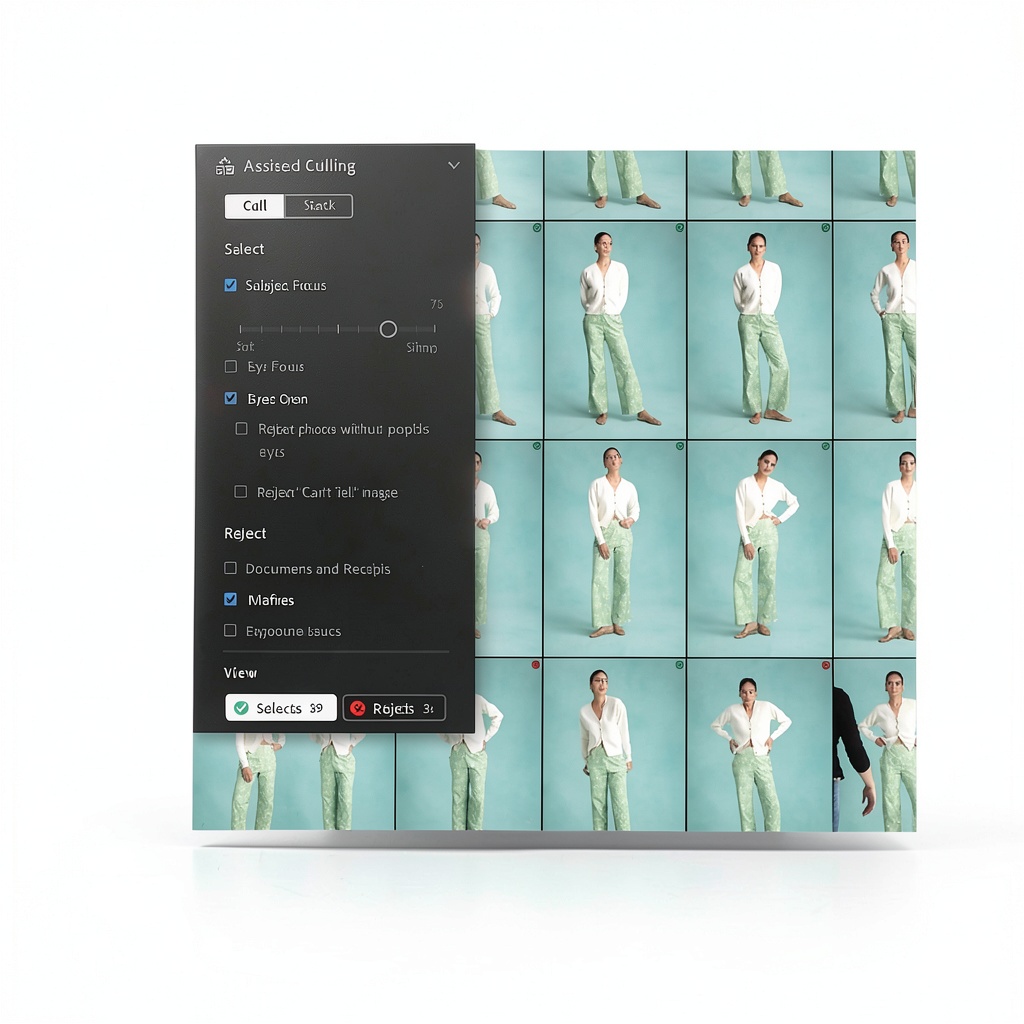
Adobe Lightroom is ideal for photographers editing photos in various environments, from professional studios to on-the-go mobile setups. It suits occasions like portrait sessions, landscape photography, and social media content creation, allowing users to adjust light, color, and effects quickly. The target audience includes hobbyists, professional photographers, and content creators who need efficient organization and powerful editing capabilities. With features like Assisted Culling and one-tap presets, it streamlines workflows for events, travel, and daily photography, making it accessible for beginners and experts alike.
Why Choose Us
Adobe Lightroom stands out with its integration of cutting-edge AI technology, such as Generative Remove and Lens Blur, which simplify complex edits into single-click actions. The software offers robust cloud storage and synchronization, ensuring your photos are secure and accessible across all devices. Regular updates keep you at the forefront of photo editing trends, while the inclusion of generative AI credits empowers creative experimentation. Backed by Adobe’s reputation for quality and innovation, Lightroom provides a reliable, scalable solution for managing and enhancing your photo library with professional-grade tools.
Key Features
- Generative Remove AI tool to eliminate distractions with a single click
- Lens Blur effect for professional portrait enhancements powered by AI
- Quick Actions for instant, tailored editing suggestions
- 1TB cloud storage with seamless synchronization across desktop, mobile, and web
- Assisted Culling to efficiently organize and select top-quality images
FAQ
What is included in the Adobe Lightroom subscription?
The subscription includes access to Lightroom and Lightroom Classic, 1TB of cloud storage, generative AI credits, and regular feature updates for comprehensive photo editing and management.
Can I use Adobe Lightroom on multiple devices?
Yes, Adobe Lightroom supports editing on desktop, mobile, and web platforms with automatic photo synchronization, allowing you to work seamlessly across all your devices.
How does Generative Remove work in Lightroom?
Generative Remove uses Adobe Firefly AI to detect and remove unwanted objects from photos with a single click, making it easy to clean up images without manual effort.
Is Lightroom suitable for beginners?
Absolutely, Lightroom offers an intuitive interface with Quick Actions and presets that guide beginners through editing, while advanced tools cater to experienced photographers.
What is the difference between Lightroom and Lightroom Classic?
Lightroom focuses on cloud-based editing and synchronization across devices, whereas Lightroom Classic provides desktop-centric tools for detailed organization and editing of large photo collections.



Reviews
There are no reviews yet.